
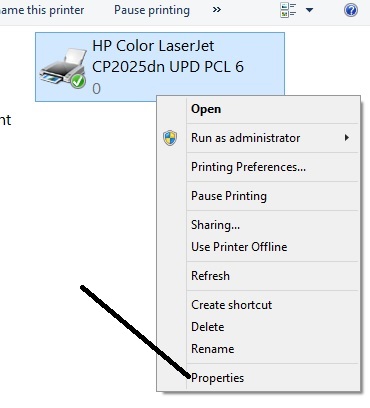
1 - Right click on the printer icon and select [Properties]
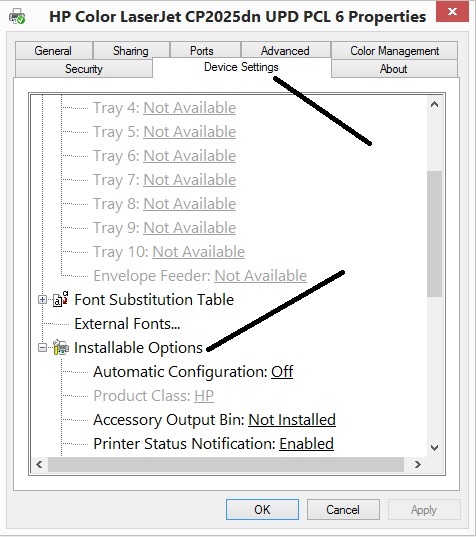
2 - Select the Device Settings Tab and scroll to "Installable Options"
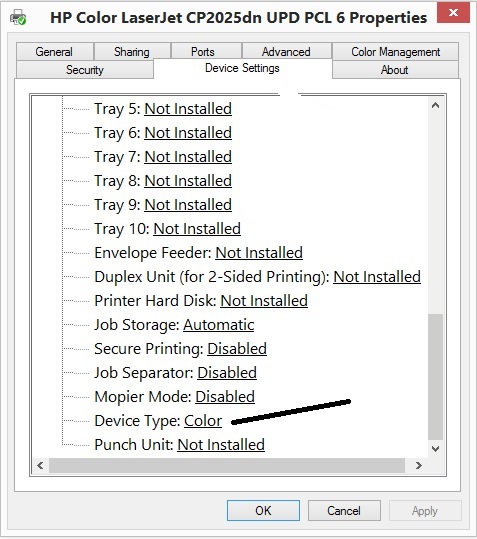
3 - Scroll down to "Device Type" and Select "Color"
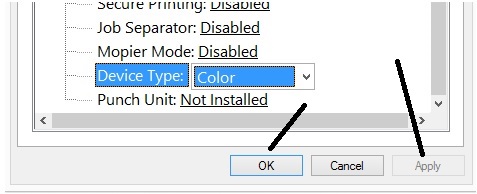
5 - Click [Apply] Then Click [OK]
![]()
Your HP CP2025 should now print in color. We hope this was helpful.
Your HP CP2025 should now print in color. We hope this was helpful.


