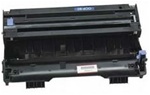
1 - Open the front cover
2 - Locate the control panel [ BUTTON ] under the led lights
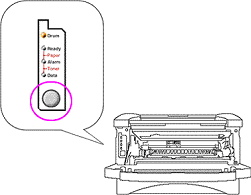
3 - Press the control panel button until all the lights are lit the release the button. The drum counter is now reset.
4 - Close the door. You are ready to print.
For MFC Models
1 - Open the front cover and press the [ CLEAR ] button.
2 - The screen will ask if a
"New Drum Was Installed"
" 1 for Yes 2 for No"
3 - Press the [ 1 ] key to select yes.
4 - The scree should respond with "selection accepted"
5 - The drum counter is now reset. Close the door. You are ready to print