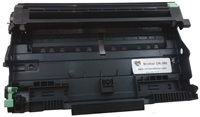
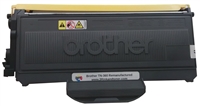
Brother DR-360 Reset Instructions
When you replace the drumunit with a new one, you need to reset the drum counter to 100% by completingthe folloing steps.
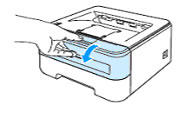
For HL Printers HL-2140, HL-2150N, and HL-2170W1 - Make sure that the printer is turned on andthe Drum LED is blinking. Openthe front cover.
2 – Press and hold down the Go button forabout 4 seconds until all the LEDs light up. Once all four LEDs are lit, release the Go button and close the cover. Your drum is reset to 100%.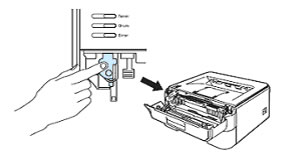
For the Brother MFC-7340, Brother MFC-7345N, Brother MFC-7440N, Brother MFC-7840W and Brother DCP-7030, Brother DCP-7040
1 – Put the new drum unit and toner cartridgeassembly in the Brother MFC or DCP printer.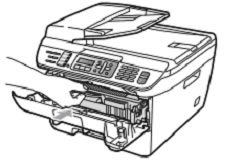
2 – Press the Clear/Backbutton.
3 – Press 1 for yesto confirm new drum installed4 – When the LCD shows Accepted, closethe front cover5 – Your drum is reset to 100%Why the Brother DR-360 Drum and TN-360 Toner From 3R Inkjets and Toners?
We focus on saving you money while giving you great value. While the original Brother TN360 offers you 2,600 pages per cartridge and the TN-330 provides 1,500 pages, our remanufactured Brother TN-360 gives you an impressive 3,000 pages per cartridge. We add the extra toner on purpose.
We take apart the used Brother DR-360 and clean all the gears, charging elements, and the transfer roller. The used drum roller is replaced with a new one every time. So you will receive a new TN360 drum unit every order.