How to Reset Your Brother TN-360 or TN-330 DCP or MFC Printer
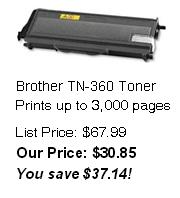
If you installed a Brother TN-360 cartridge in a:
Brother DCP-7030
Brother DCP-7040
Brother MFC-7340
Brother MFC-7345N
Brother MFC-7440N
Brother MFC-7840W
and the “toner life end messageâ€� is still displayed on the printer or you are installing a partially used Brother TN-360 cartridge in a multifunction printer that is displaying the “toner life end messageâ€� you need to manually reset the printer using the following instructions.
1. Open front cover where toner inserts
2. Press the "clear/back" button. It may display "replace drum?". Do not respond to this.
3. Press *00 a message "accepted" will be displayed.
The printer toner counter is now reset to 100% and the toner warning should then be cleared.