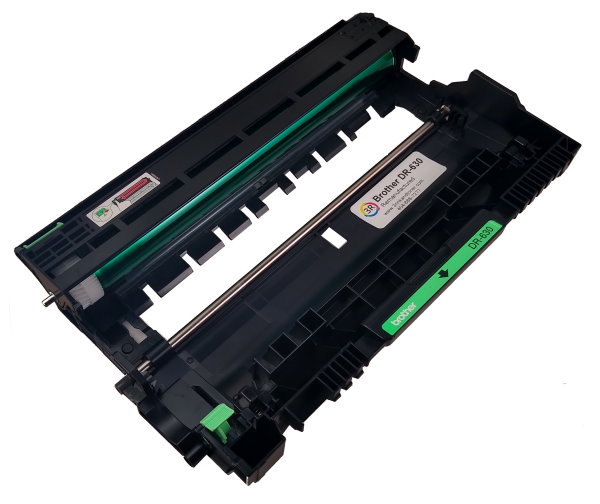
How To Reset Your Brother DR 630 Drum Printer
Every time you install a new BrotherR-630 Drum you must manually reset the printer's drum counter to 100% using the following instructions that pertain to your printer.
To reset Brother HL-L2300D, HL-L2320D, and HL-L2321D Drum Counter
(1) Make sure that the front cover is open.(2) Press and hold the Go Button
 for about four seconds until all of the LEDslight up. Once all four LEDs are lit, release Go Button.
(3) Close the front cover.
(4) Make sure the Drum LED is now off.
To reset Brother HL-L2305W, HL-L2340DW, HL-L2360DN, HL-L2360DW, HL-L2361DN, HL-L2365DW, and HL-L2366DW Drum Counter
(1) Make sure that the front cover is open.(2) Press and hold OK for about two seconds to displayDrum Unit, and then press OK.
(3) Press the up arrow to display Reset and reset the drum counter.
(4) Close the front cover.
To reset Brother DCP-L2500D, DCP-L2520D, DCP-L2520DW, DCP-L2540DN, DCP-L2540DW, DCP-L2541DW, MFC-L2680W, MFC-L2700D, MFC‑L2700DN, MFC-L2700DW, MFC-L2705DW, MFC-L2707DW, MFC-L2701D, MFC-L2701DW, and MFC-2703DW Drum Counter
(1) Make sure that the front cover is open.(2) Press and hold OK for about two seconds to display
Replace Drum?.
(3) For DCP models press the up arrow to reset the drum counter.
For MFC models press 1 to reset the drum counter.
(4) Close the front cover.
To reset Brother HL-L2380DW, DCP-L2560DW, MFC-L2720DW, and MFC-L2740DWv Drum Counter
(1) Close the front cover.(2) Press [X] to interrupt the error.
(3) Press [Tool] image (Settings)
(4) Select "All Settings"
(5) Select "Machine Info"
(6) Select "Parts Life"
(7) Press # on the keypad until the Touch screen message changes to “Reset Menuâ€�
(8) Press Drum, and then press [Yes] to reset.
(9) The message “Acceptedâ€� will display
(10) Press [Home] image.
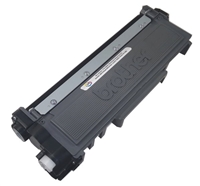
Swap your toner cartridge into the new drum, install the new drum and toner into the printer, and leave the front door open
You may now close the printer door and your drum counter is set to 100%
We hope you find this helpful
Save upto 57% on Brother DR630 Drum And The TN-660 Toner?
We take apart the used Brother DR-630 and clean all the gears, charging elements, and transfer roller. The used drum roller is replaced with a new one every time. So you will receive a new TN660 drum unit for every order.
Get maximum yield from our professionally refilled Brother TN660 with the "Continue" setting. We have been building them for years the right way. The toner we fill the Brother TN 660 Cartridge with print so beautifully you won’t be able to tell the difference from the original. This high-efficiency toner prints fine dark crisp lines and images from beginning to end.
|